cad-agent
Type what you want. Get a real CAD design. An AI agent builds it live in Autodesk Fusion — real, editable parts — measures its own work, and only claims success when the numbers prove it. Words, a written contract, a dimensioned engineering drawing, or an existing CAD file plus a change request: four ways in, one measured finish line.
GitHub Architecture Walkthrough
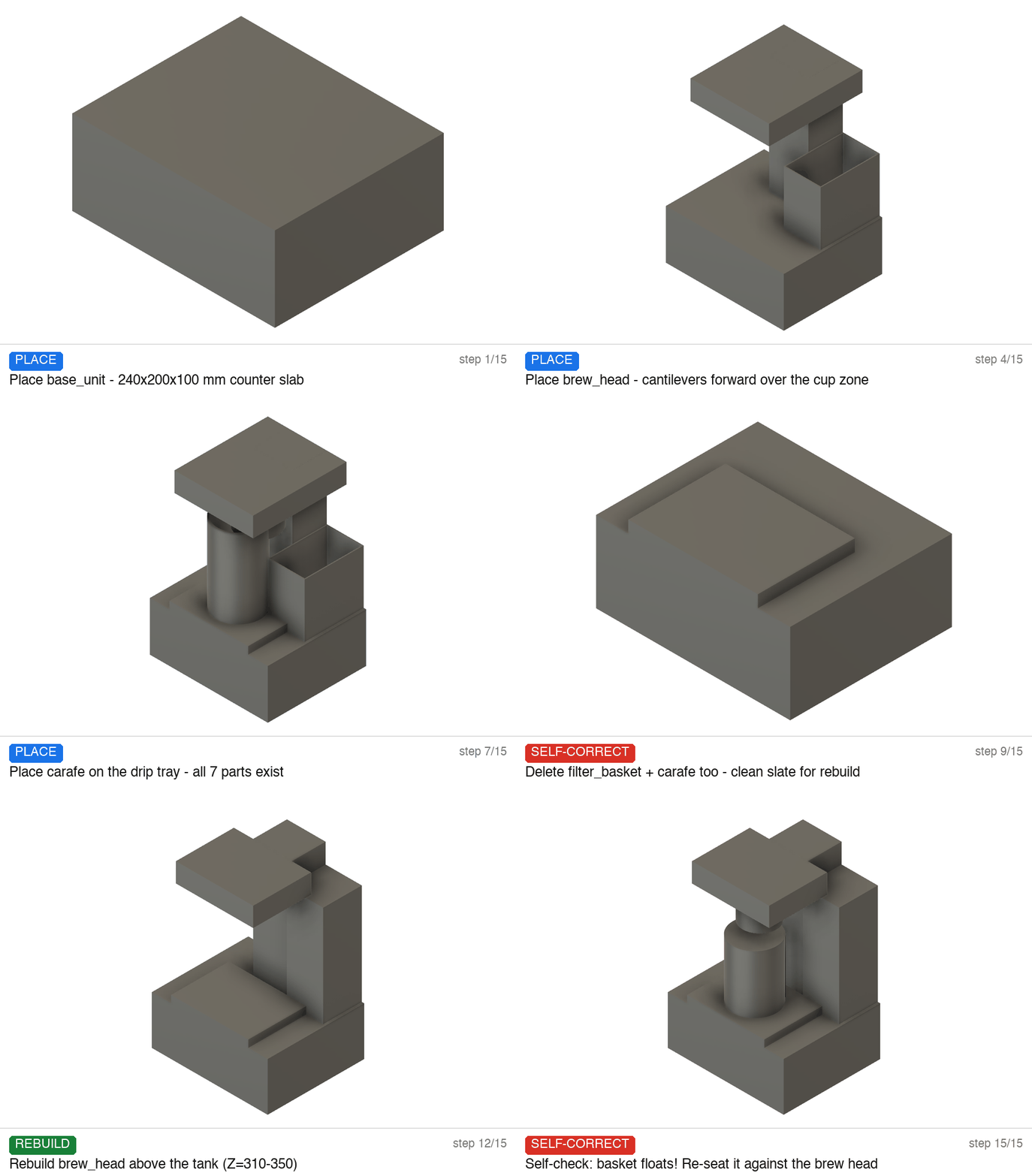
One real run, replayed frame by frame: the agent places all seven components, measures its own work, catches the interpenetrating parts, rebuilds them, re-seats a floating basket — then independent kernel verification passes it 15/15.
It builds for real, step by step
Not a picture — real, editable parts appear one at a time in an Autodesk Fusion document. When a step fails, the agent reads the error and fixes it. When it's unsure, it looks up Fusion's manual instead of guessing.
It can't grade its own homework
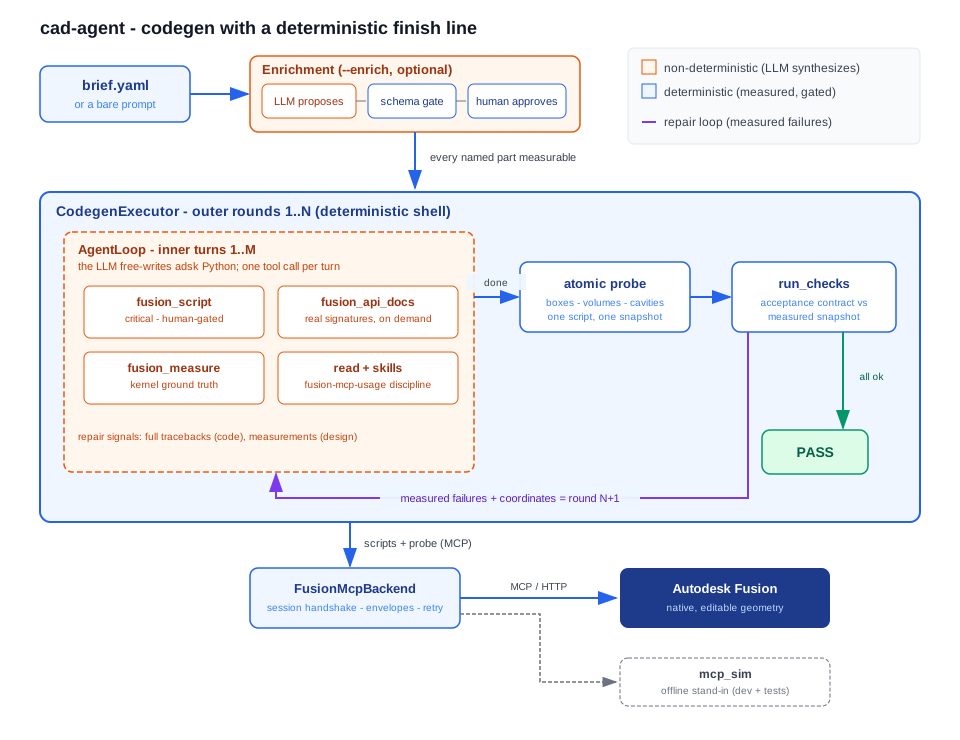
Success is decided by measurements, never by the AI's word. An independent checker re-measures every part with Fusion's own geometry engine — sizes, volumes, capacities, parts crossing or floating — and grades the requirement list. Anything wrong goes back, with the numbers, for another round.
Watch it, check it, replay it
You approve the requirement checklist before anything is built, and code that touches your document asks permission first. Every step is recorded in a full session log — the animations on this page are frame-by-frame replays of those logs.
Four ways to ask for a part
One loop, one finish line — whatever goes in, the same kernel measurements decide success.
1 · A sentence
cad-agent build "a drip coffee maker with a 1.2 L tank" --enrich — your words become a checklist of measurable requirements, and the agent builds until the numbers pass.
2 · A written contract
A brief YAML: fuzzy intent in customer_request, hard requirements as machine-checkable acceptance gates — used verbatim.
3 · An engineering drawing
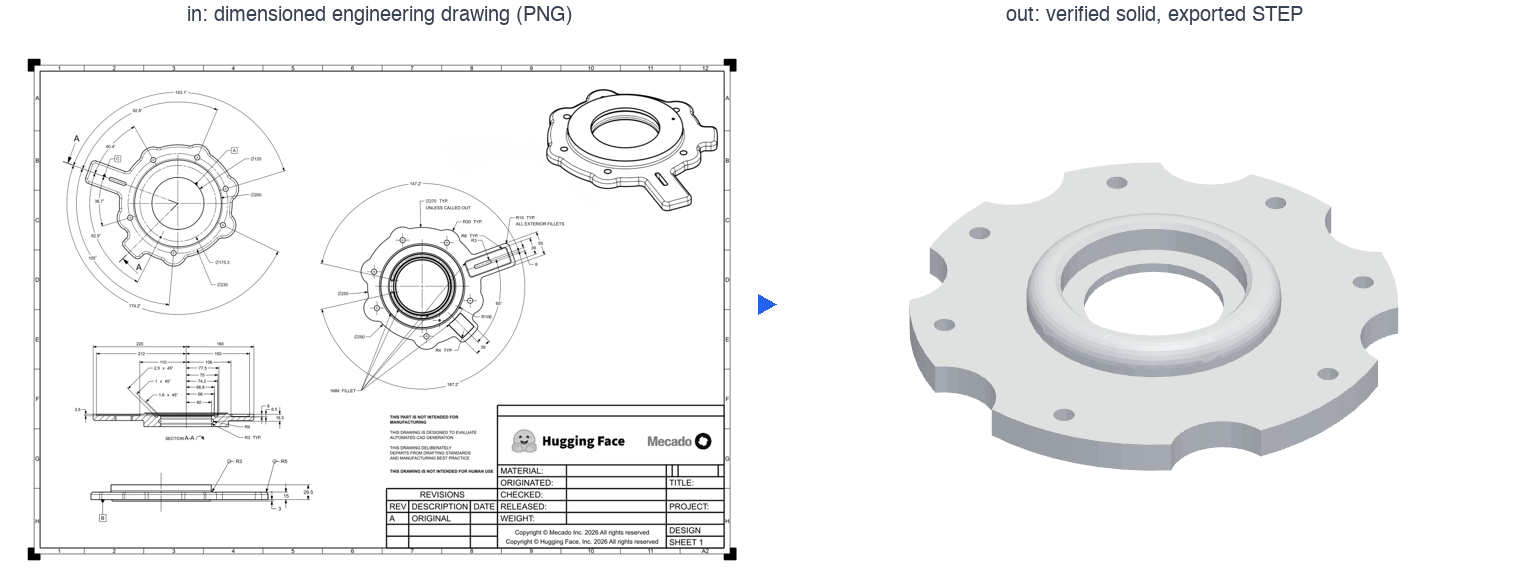
A two-pass vision stage transcribes every dimension callout verbatim, reconciles them into one contradiction-free spec, and quarantines anything doubtful — then the same loop machines the part and exports STEP.
4 · A CAD file + a change request
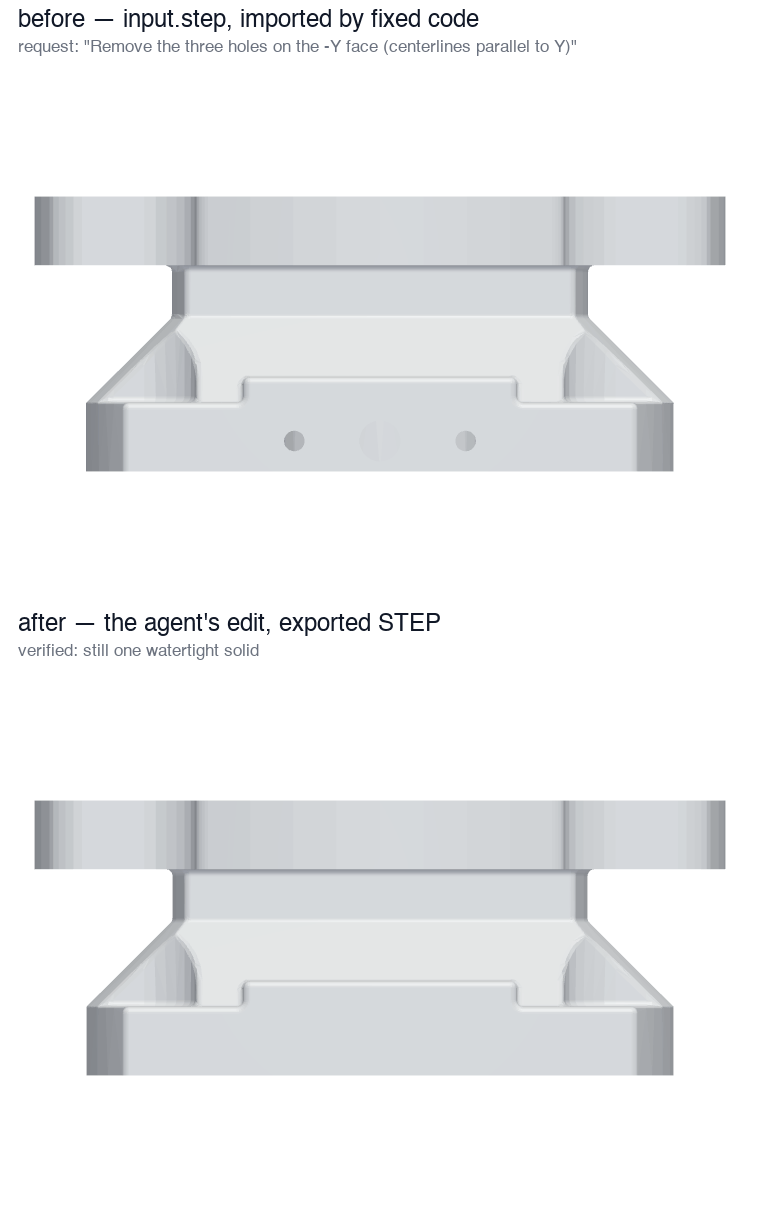
Fixed code imports your STEP; the agent locates the target faces by measurement — never guessed indices — applies the edit, re-measures the delta, and keeps the part one watertight solid.
A real benchmark sample, end to end: the dimensioned sheet is the input; the rotating part is the exported STEP. Eight drawing samples ran on live Fusion — 8/8 passed the benchmark's validity gate (single watertight solid inside the drawing-derived envelope).
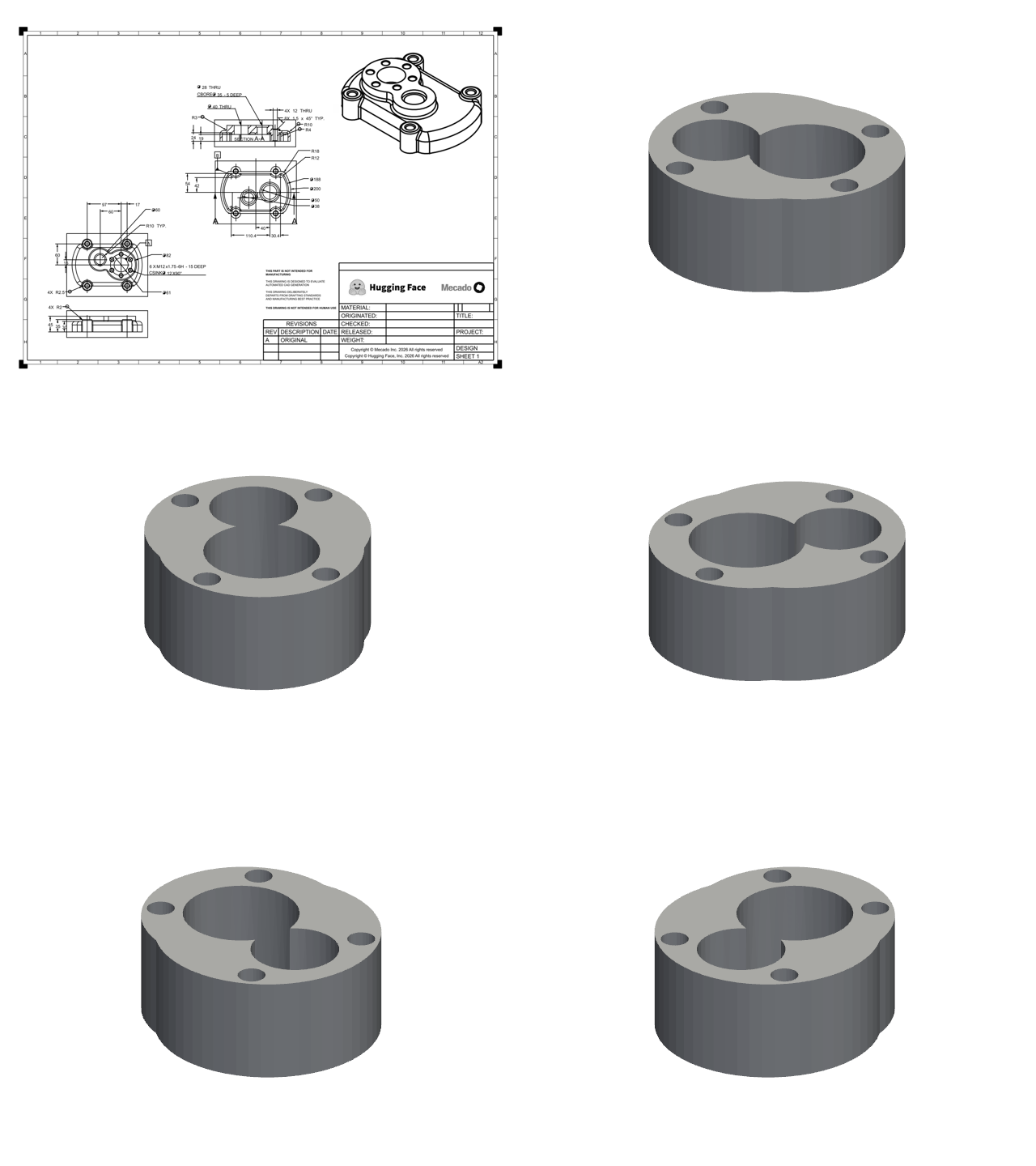
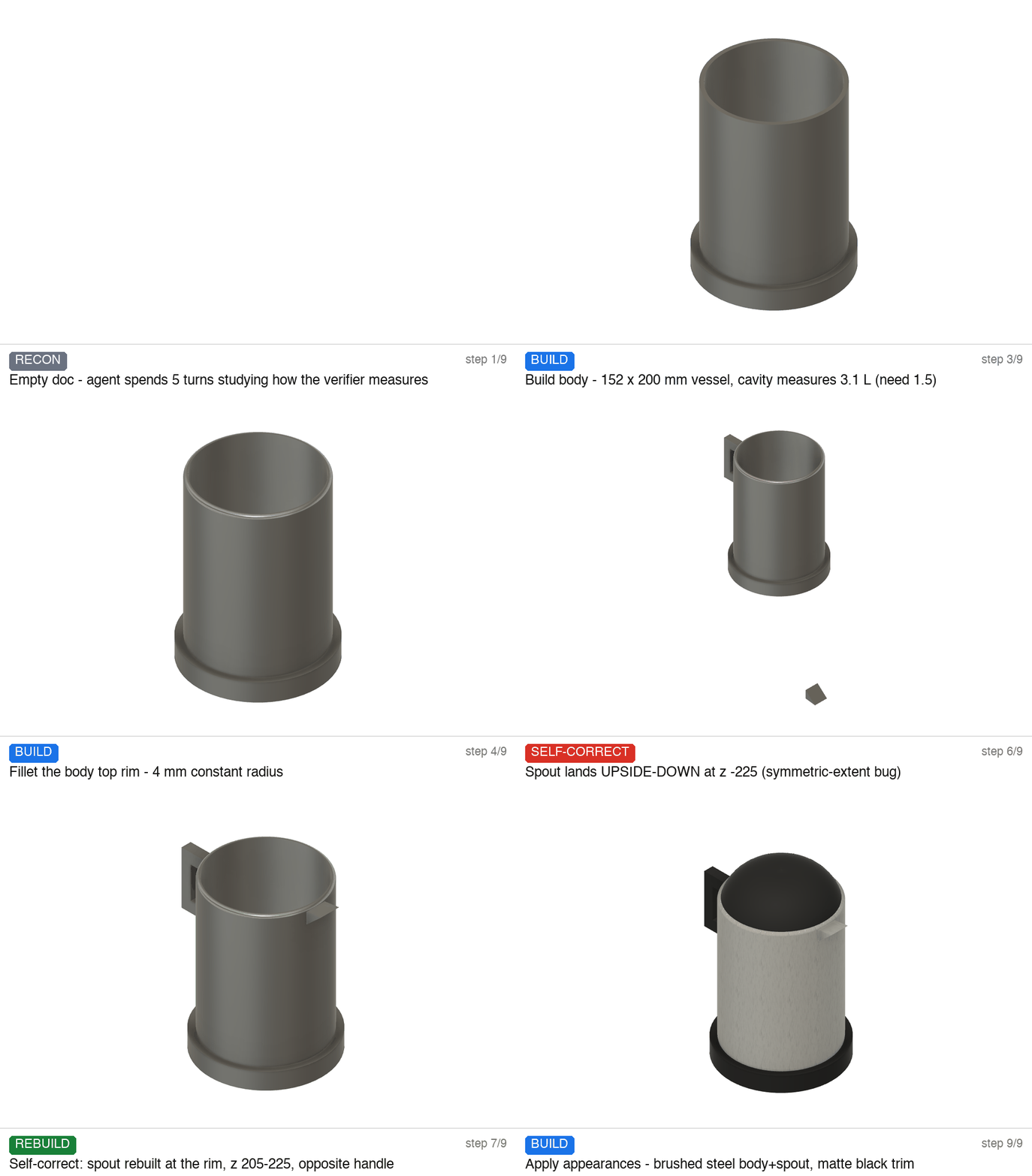
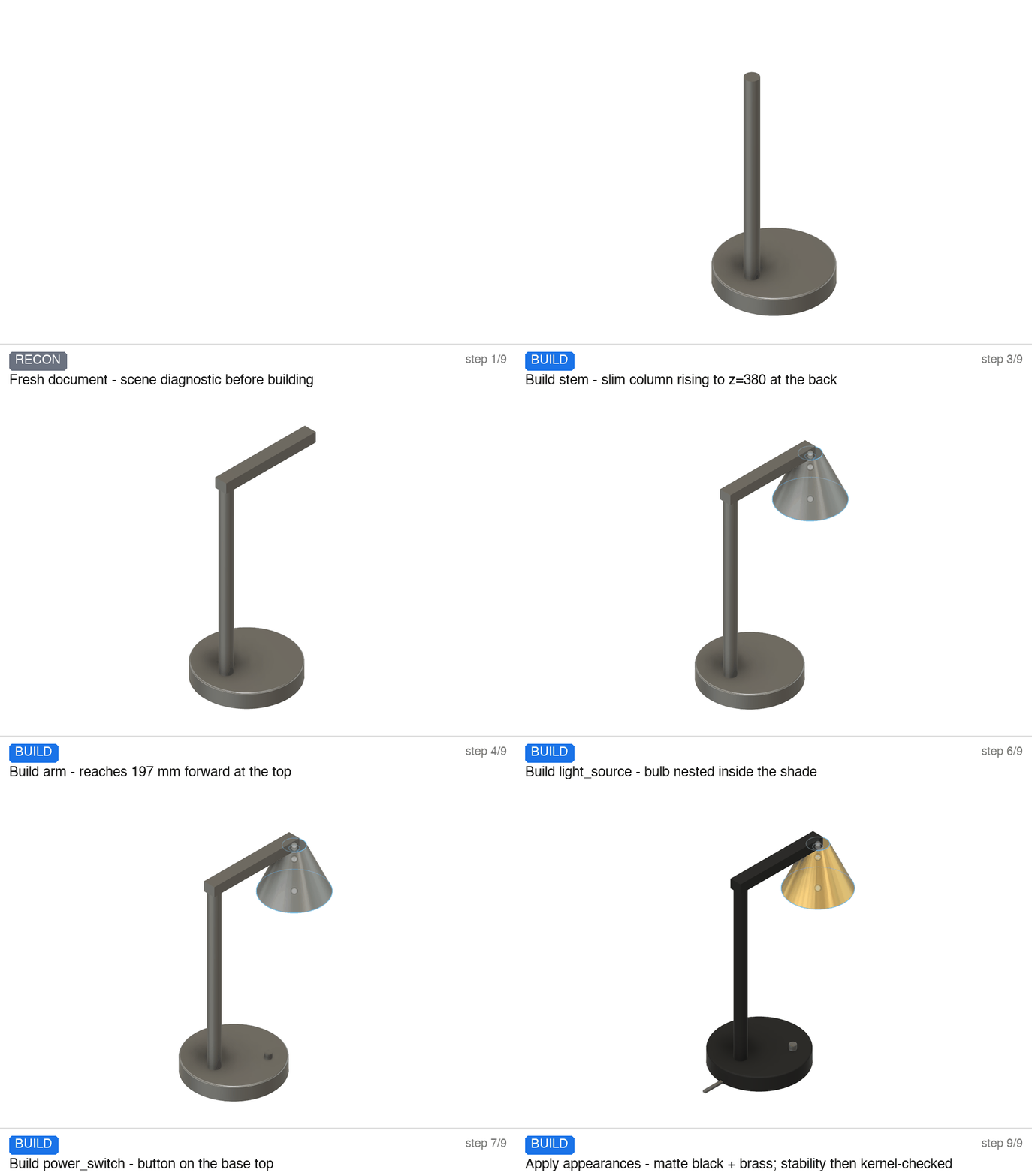
More verified builds — one prompt in, one product out
Architecture
Quickstart
# Fusion running with its MCP server on (Text Commands: Options.Set MCPServerEnabled ON)
uv sync --group dev
uv run cad-agent build "a desk organizer with three pen slots and a phone rest" --enrich --yes
uv run pytest        # the full suite runs offline: no key, no network, no Fusion
Any chat LLM drives the loop — the local claude -p CLI, OpenRouter, or the Anthropic API. No Fusion installed? cad-agent mcp-sim serves an offline stand-in of the same MCP surface for development.